Not long ago, I wrote a post about a fast hack that increased my reading speed by tracking the reading with a finger. I think that the logic behind using a tracking finger is to suppress subvocalization. I noticed that, at least in my case, suppressing subvocalization reduces the fun of reading. I actually enjoy hearing the inner voice that reads the book “with me”.
-

You don't need a fast way to increase your reading speed by 25%. Or, don't suppress subvocalization
October 6, 2019 -
Bootstrapping the right way?
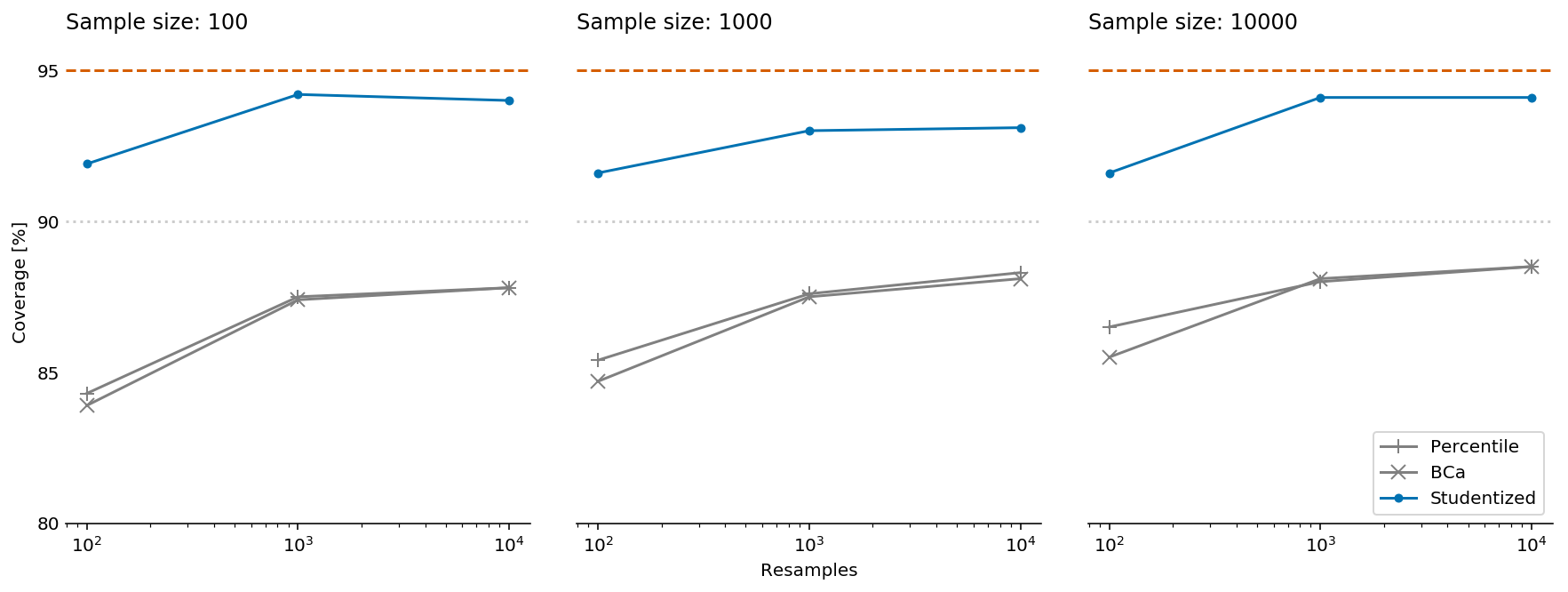
October 6, 2019Many years ago, I terribly overfit a model which caused losses of a lot of shekels (a LOT). It’s not that I wasn’t aware of the potential overfitting. I was. Among other things, I used several bootstrapping simulations. It turns out that I applied the bootstrapping in a wrong way. My particular problem was that I “forgot” about confounding parameters and that I “forgot” that peeping into the future is a bad thing.
Anyhow, Yanir Seroussi, my coworker data scientist, gave a very good talk on bootstrapping.
-

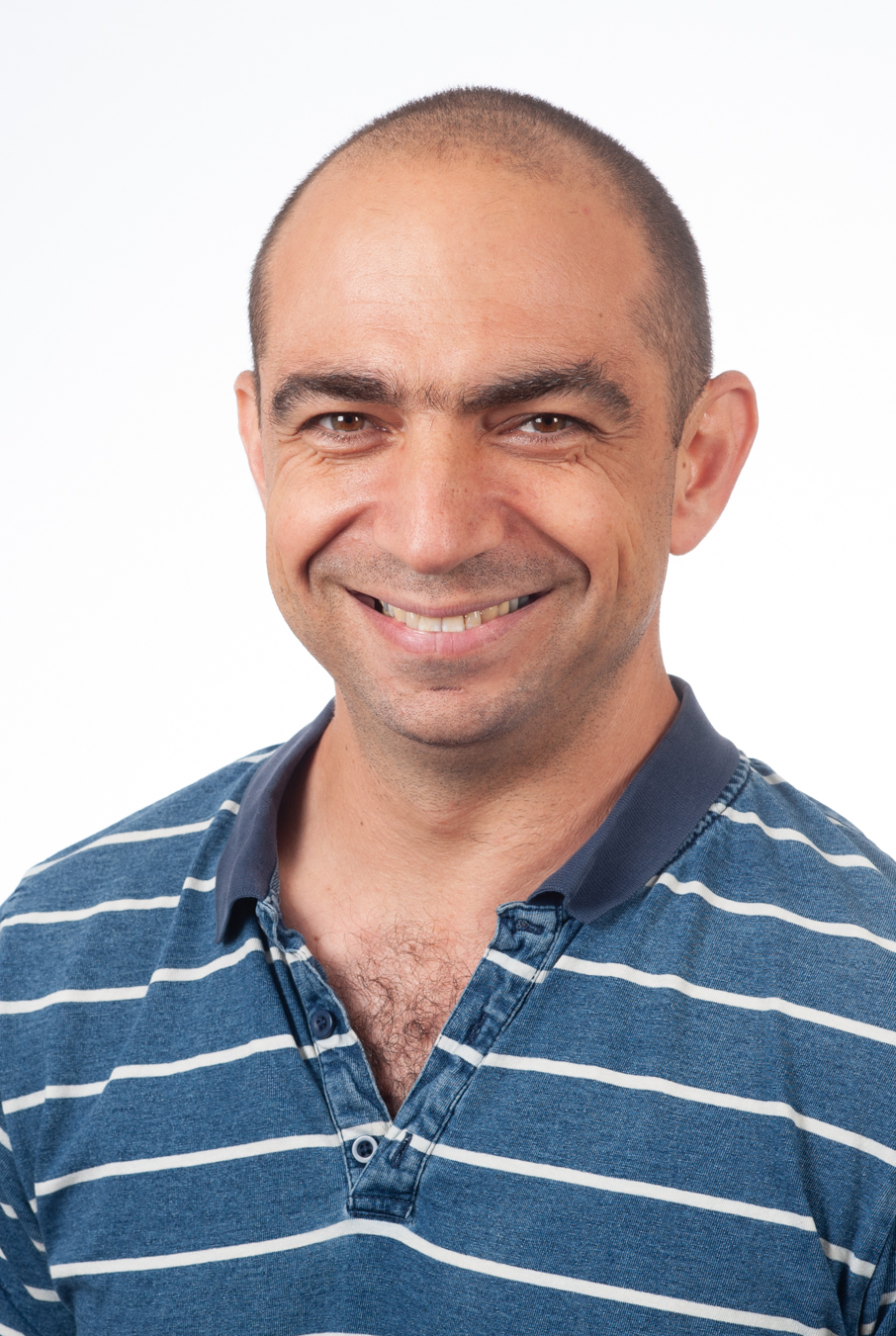
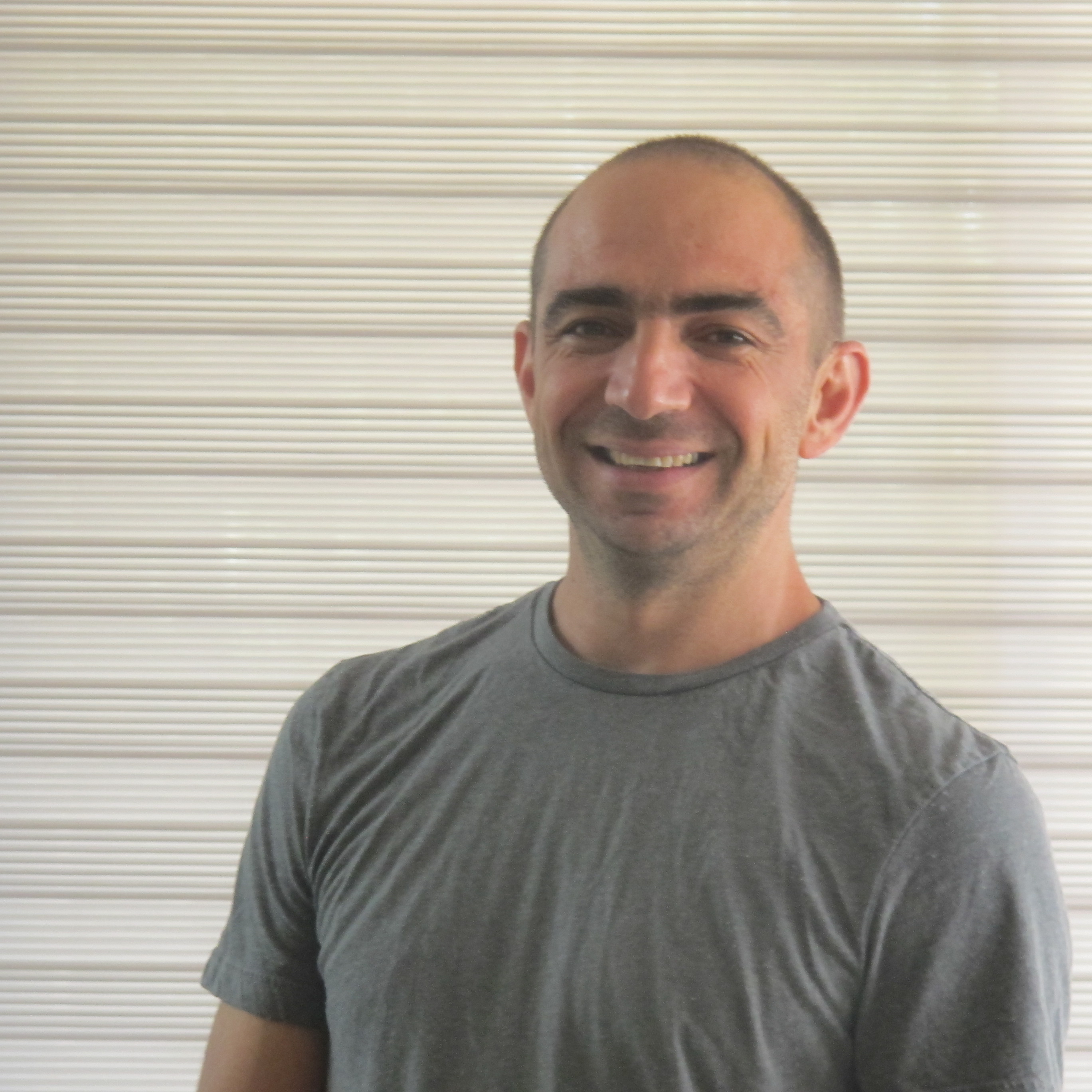
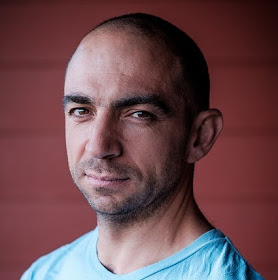
How do I look like?
October 3, 2019From time to time, people (mostly conference organizers) ask for a picture of mine. Feel free using any of these images
-
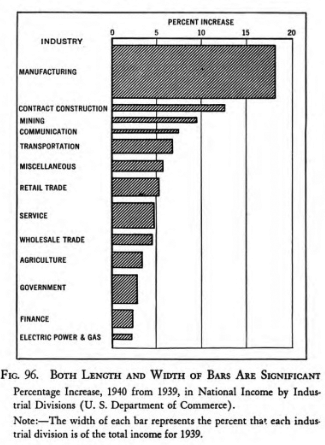
Visualizations with perceptual free-rides
October 2, 2019Dr. Richard Brath is a data visualization expert who also blogs from time to time. Each post in Richard’s blog provides a deep, and often unexpected to me, insight into one dataviz aspect or another.
-
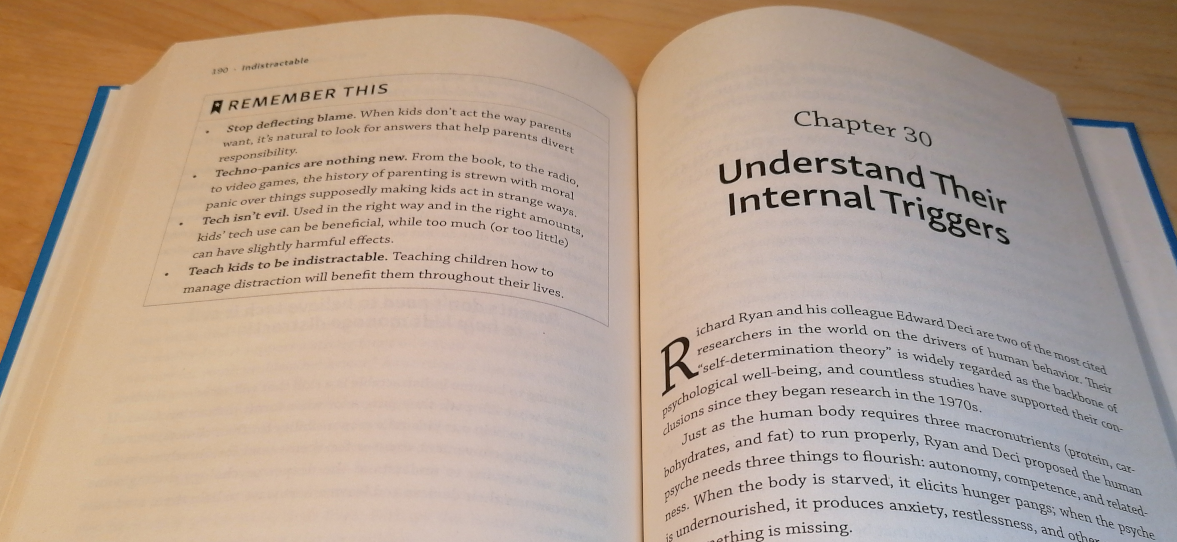
Book review. Indistractable by Nir Eyal
September 29, 2019Nir Eyal is known for his book “Hooked” in which he teaches how to create addictive products. In his new book “Indistractable”, Nir teaches how to live in the world full of addictive products. The book itself isn’t bad. It provides interesting information and, more importantly, practical tips and action items. Nir covers topics such as digital distraction, productivity and procrastination.

I liked the fact that the author “gives permission” to spend time on Facebook, Instagram, Youtube etc, as long as it is what you planned to do. Paraphrasing Nir, distraction isn’t distraction unless you know what it distracts you from. In other words, anything you do is a potential distraction unless you know what, why and when you are doing it.
My biggest problem with this book is that I already knew almost everything that Nir wrote. Maybe I already read too many similar books and articles, maybe I’m just that smart (not really) but for me, most of Indistractable wasn’t valuable.
Until I got to the chapter that deals with raising children (“Part 6, how to raise indistractable children”). I have to admit, when it comes to speaking about raising kids in the digital era, Nir is a refreshing voice. He doesn’t join the global hysteria of “the screens make zombies of our kids”. Moreover, Nir brings a nice collection of hysterical prophecies from the 15th, 18th and 20th centuries in which “experts” warned about the bad influence new inventions (such as printed books, affordable education, radio) had on the kids.
Another nice touch is the fact that each chapter has a short summary that consists of three-four bullet points. Even nicer is the fact that Nir copied all the “Remember this” lists at the end of the book, which is very kind of him.
The Bottom line. 4/5. Read.
-
14-days-work-month — The joys of the Hebrew calendar
September 22, 2019Tishrei is the seventh month of the Hebrew calendar that starts with Rosh-HaShana — the Hebrew New Year. It is a 30 days month that usually occurs in September-October. One interesting feature of Tishrei is the fact that it is full of holidays: Rosh-HaShana (New Year), Yom Kippur (Day of Atonement), first and last days of Sukkot (Feast of Tabernacles) **. All these days are rest days in Israel. Every holiday eve is also a *de facto rest day in many industries (high tech included). So now we have 8 resting days that add to the usual Friday/Saturday pairs, resulting in very sparse work weeks. But that’s not all: the period between the first and the last Sukkot days are mostly considered as half working days. Also, the children are at home since all the schools and kindergartens are on vacation so we will treat those days as half working days in the following analysis.
I have counted the number of business days during this 31-day period (one day before the New Year plus the entire month of Tishrei) between 2008 and 2023 CE, and this is what we get:
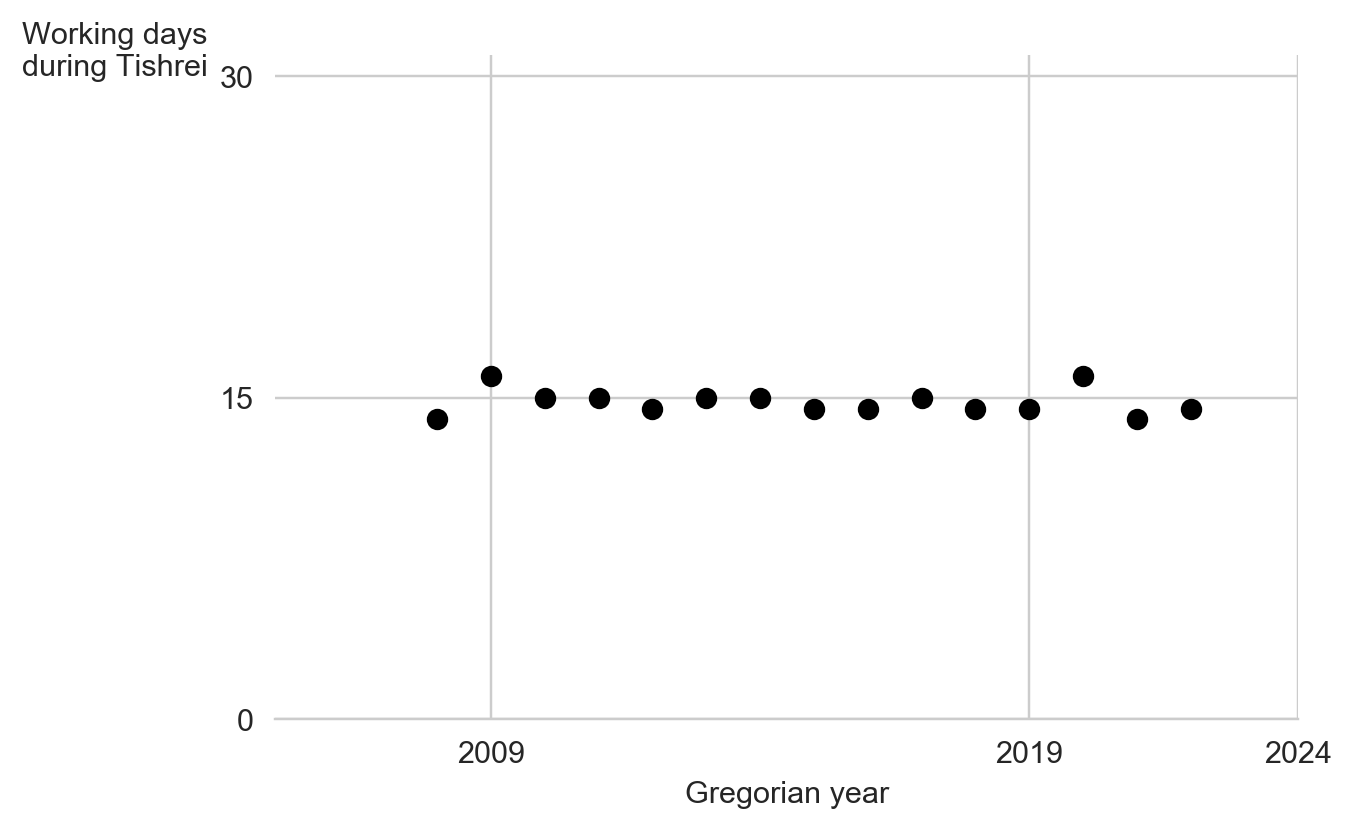
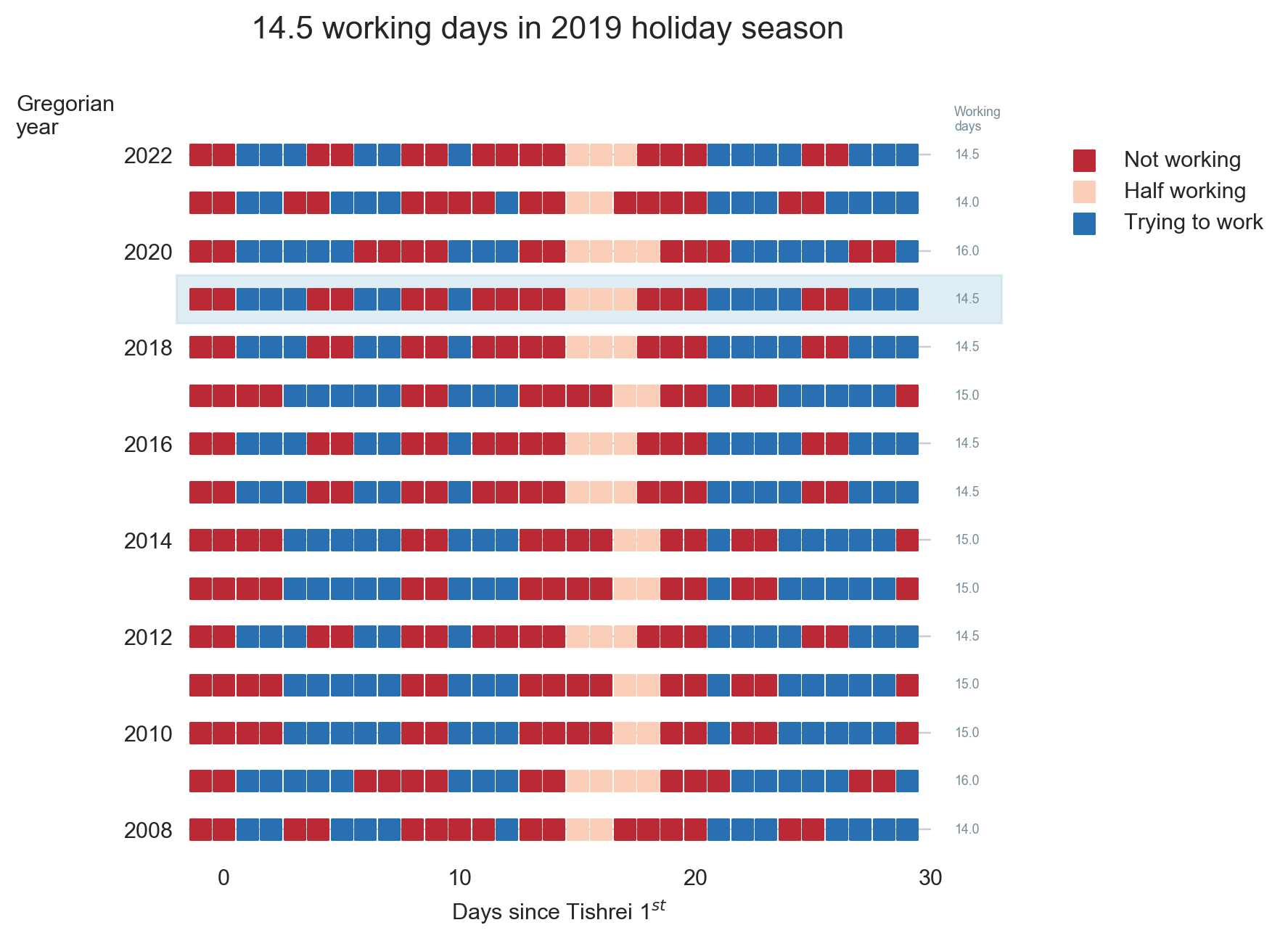
Overall, this period consists of between 15 to 17 non-working days in a single month (31 days, mind you). This is how the working/not-working time during this month looks like this:
Now, having some vacation is nice, but this month is absolutely crazy. There is not a single full working week during this month. It is very similar to the constantly interrupt work day, but at a different scale.
So, next time you wonder why your Israeli colleague, customer or partner barely works during September-October, recall this post.
(*) New Year starts in the seventh’s month? I know this is confusing. That’s because we number Nissan – the month of the Exodus from Egypt as the first month.
(**)If you are an observing Jew, you should add to this list Fast of Gedalia, but we will omit it from this discussion
-
A fast way to increase your reading speed by 25%
September 19, 2019I was sceptic but I tried, measured, and arrived to the conclusion. First, I set a timer to 60 seconds and read some text. I managed to read seventeen lines. Then, I used my finger to guide my eyes the same way kids do when they learn reading. It turned out that I was able to read lines of text. By simply using my finger. Impressive.
-
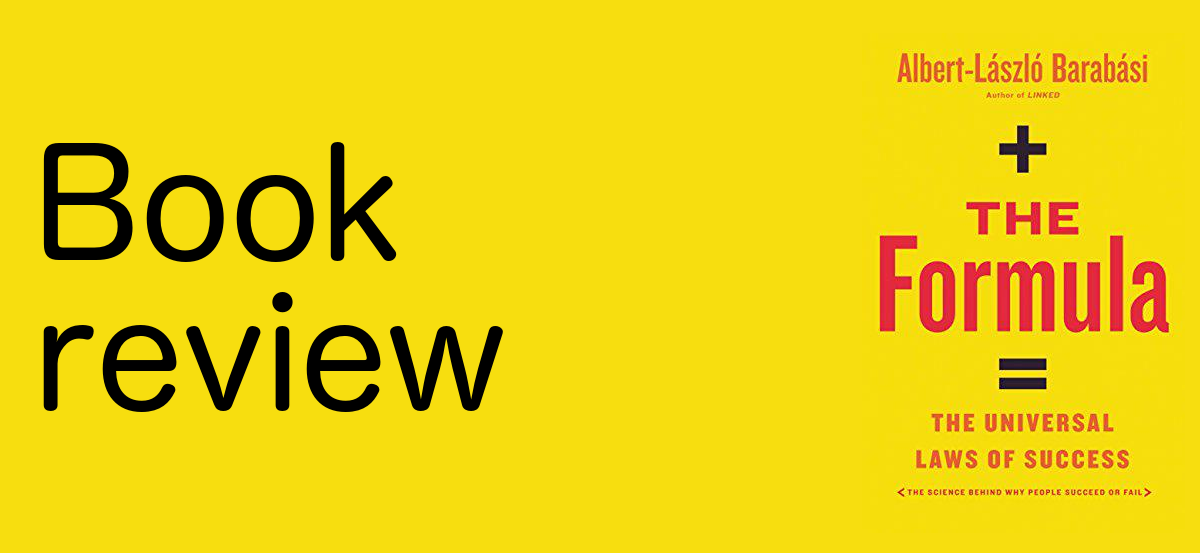
Book review: The Formula by A. L Barabasi
September 16, 2019The bottom line: read it but use your best judgement 4/5
I recently completed reading “The Formula. The Universal Laws of Success” by Albert-László Barabási. Barabási is a network science professor who co-authored the “preferential attachment” paper (a.k.a. the Barabási-Albert model). People who follow him closely are ether vivid fabs or haters accusing him of nonsense science.
For several years, A-L Barabási is talking and writing about the “science of success” (yeah, I can hear some of my colleagues laughing right now). Recently, he summarized the research in this area in an easy-to-read book with the promising title “The Formula. The Universal Laws of Success.” The main takeaways that I took from this book are:
- Success is about us, not about you. In other words, it doesn’t matter how hard you work and how good your work is, if “we” (i.e., the public) don’t know about it, or don’t see it, or attribute it to someone else.
- Be known for your expertise. Talk passionately about your job. The people who talk about an idea will get the credit for it. Consider the following example from the book. Let’s say, prof. Barabasi and the Pope write a joint scientific paper. If the article is about network science, it will be perceived as if the Pope helped Barabasi with writing an essay. If, on the other hand, if it is a theosophical book, we will immediately assume that the Pope was the leading force behind it.
- It doesn’t matter how old you are; the success can come to you at any age. It is a well-known fact that most successful people broke into success at a young age. What Barabási claims is that the reason for that is not a form of ageism but the fact that the older people try less. According to this claim, as long as you are creative and work hard, your most significant success is ahead of you.
- Persistence pays. This is another claim that Barabasi makes in his book. It is related to the previous one but is based on a different set of observations (did you know that Harry Potter was rejected twelve times before it was published?). I must say that I’m very skeptical about this one. Right now, I don’t have the time to explain my reasons, and I promise to write a dedicated post.
Keep in mind that the author uses academic success (the Nobel prize, citation index, etc.) as the metric for most of his conclusions. This limitation doesn’t bother him, after all, Barabási is a full-time University professor, but most of us should add another grain of salt to the conclusions.
Overall, if you find yourself thinking about your professional future, or if you are looking for a good career advice, I recommend reading this book.
-
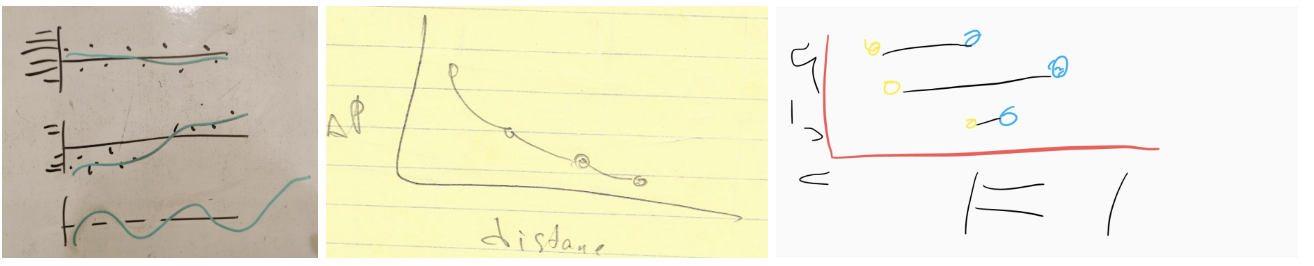
Pseudochart. It's like a pseudocode but for charts
September 9, 2019Pseudocode is an informal high-level description of the operating principle of a computer program or other algorithm. People write pseudocode to isolate the “bigger picture” of an algorithm. Pseudocode doesn’t care about the particular implementation details that are secondary to the problem, such as memory management, dealing with different encoding, etc. Writing out the pseudocode version of a function is frequently the first step in planning the implementation of complex logic.
Similarly, I use sketches when I plan non-trivial charts, and when I discuss data visualization alternatives with colleagues or students.
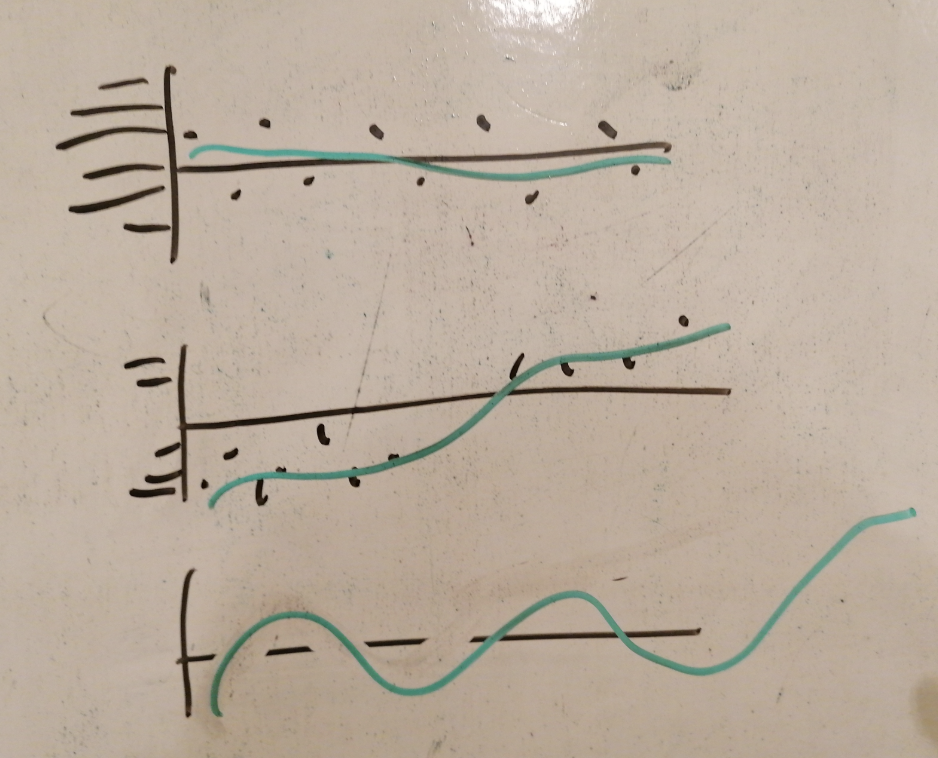
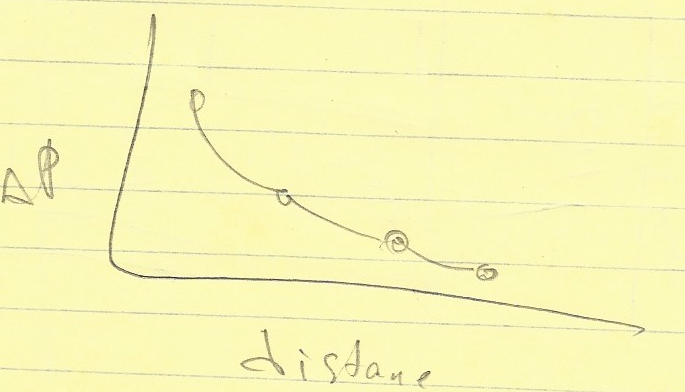
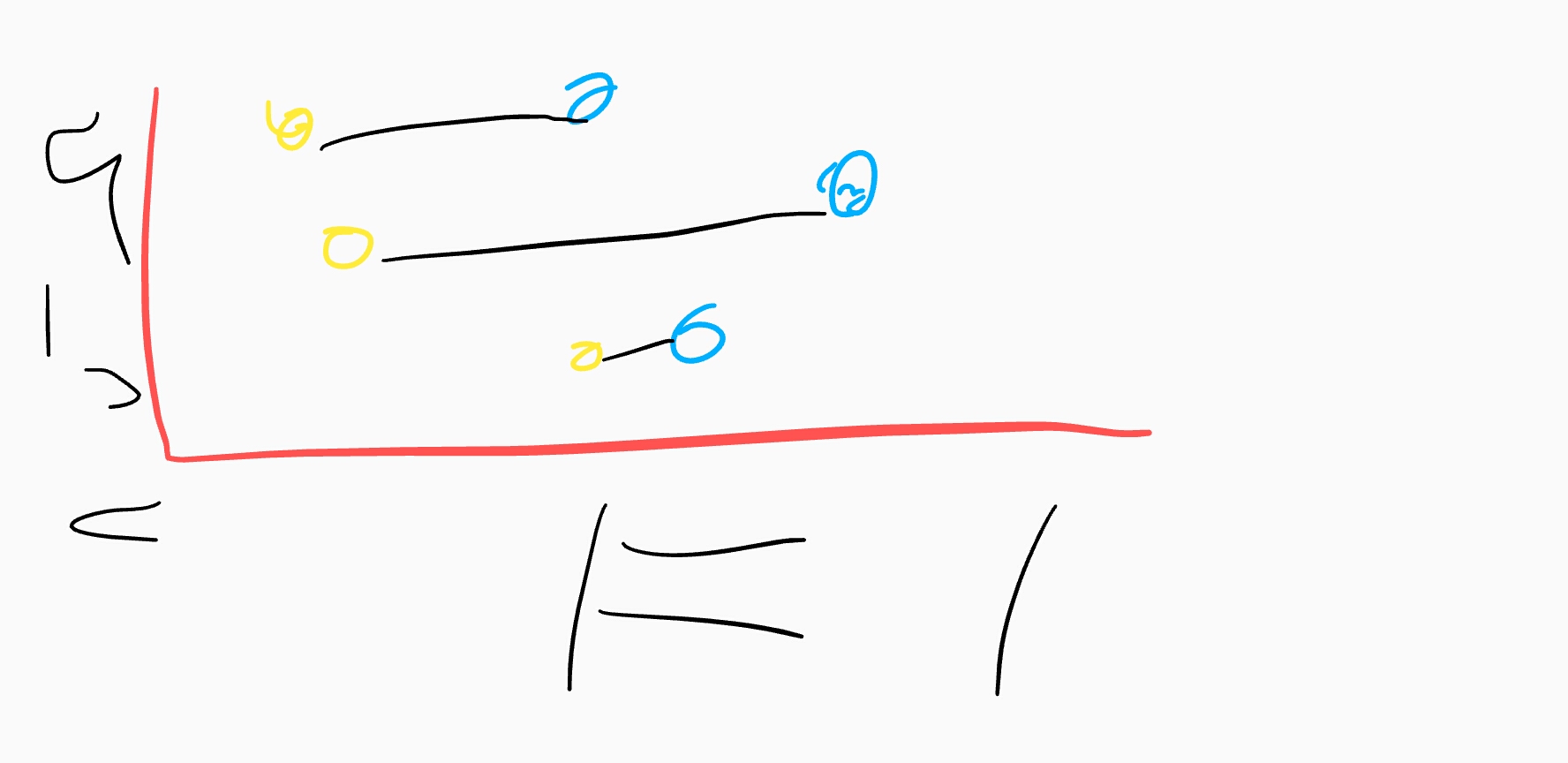
One can use a sheet of paper, a whiteboard, or a drawing application. You may recognize this approach as a form of “paper prototyping,” but it deserves its own term. I suggest calling such a sketch a “pseudochart”*. Like a piece of pseudocode, the purpose of a pseudochart is to show the visualization approach to the data, not the final graph itself.
- Initially, I wanted to use the term “pseudograph” but the network scientists already took it for themselves.
** The first sentence of this post is a taken from the Wikipedia.
-

My blog in Hebrew
September 9, 2019As much as I love thinking that I live in a global world, most people whom I know speak Hebrew. From time to time, someone would tell me “nice post, but why not in Hebrew?”. So, from now on, I will try to translate all my new posts to Hebrew. I will try. Not promising anything. My Hebrew blog lives at https://he.gorelik.net/blog-feed
-

Please leave a comment to this post
September 4, 2019Please leave a comment to this post. It doesn’t matter what, it can be a simple Hi or an interesting link. It doesn’t matter when or where you see it. I want to see how many real people are actually reading this blog.
[caption id=”attachment_media-15” align=”alignnone” width=”1880”]
Photo by Pixabay on Pexels.com[/caption]
-
Word Sequentialization
September 2, 2019 -
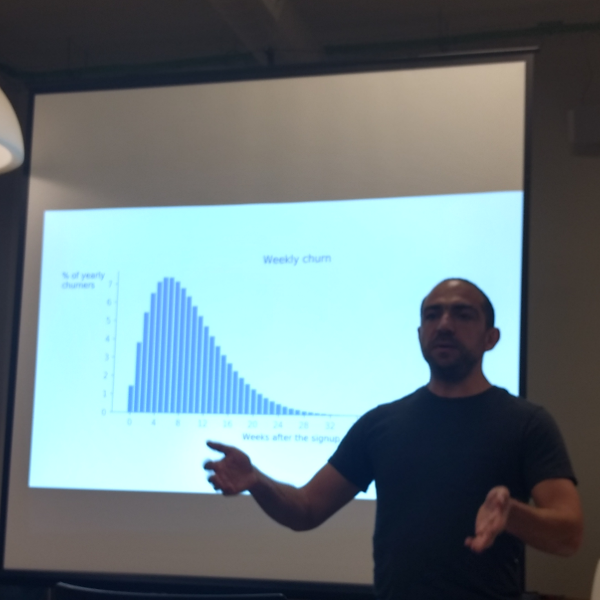
My slide deck from the NDR conference in Iași
June 11, 2019I have published the slide deck from my talk at the NDR conference in Iași, Romania.
Enjoy.
[slideshare id=149244993&doc=20190604abcofdatavisualizationiasi-190611185232]
-
Why you should speak at conferences?
June 6, 2019In this post, I will try to convince you that speaking at a conference is an essential tool for professional development.
Many people are afraid of public speaking, they avoid the need to speak in front of an audience and only do that when someone forces them to. This fear has deep evolutional origins (thousands of years ago, if dozens of people were staring at you that would probably mean that you were about to become their meal). However, if you work in a knowledge-based industry, your professional career can gain a lot if you force yourself to speak.
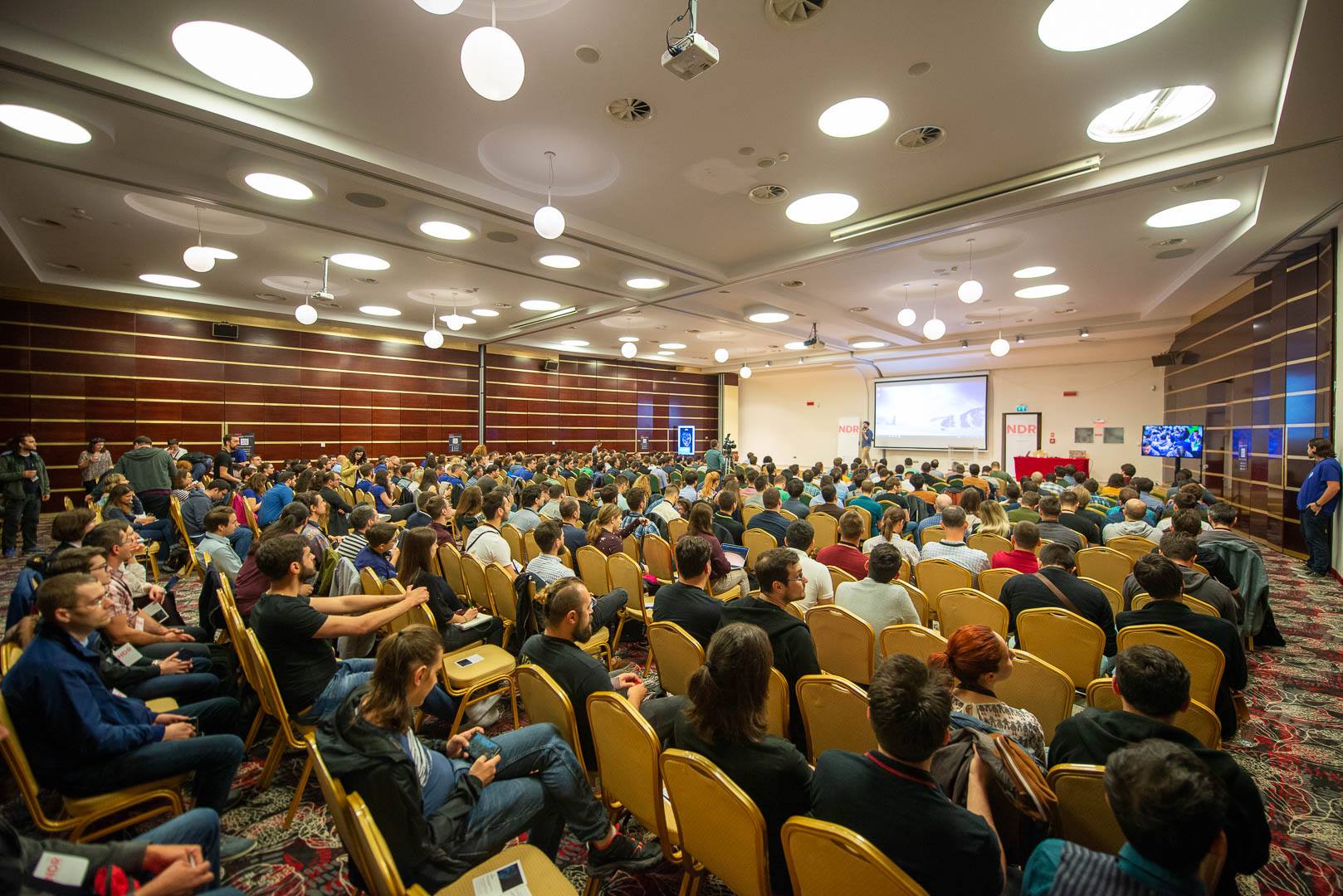
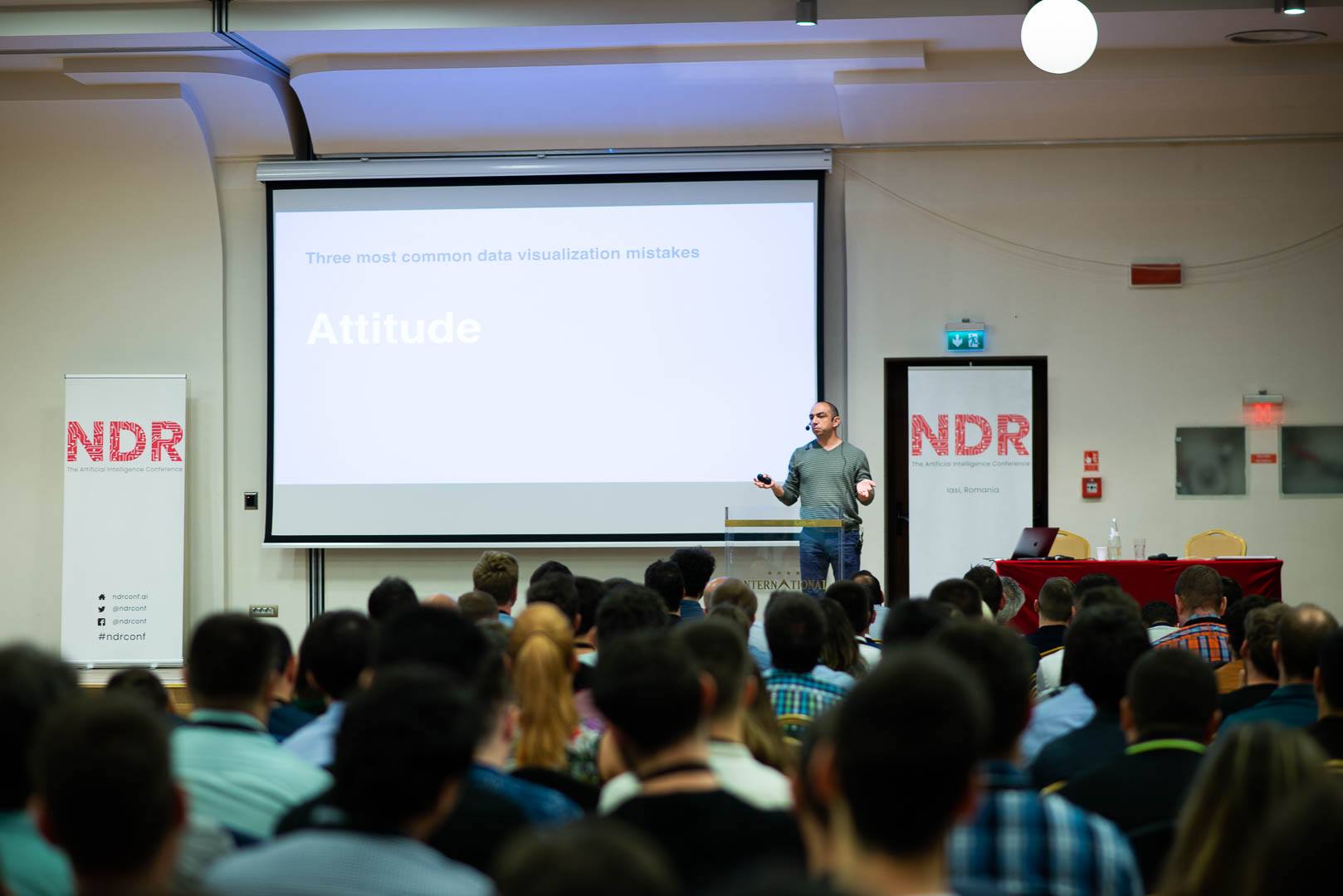
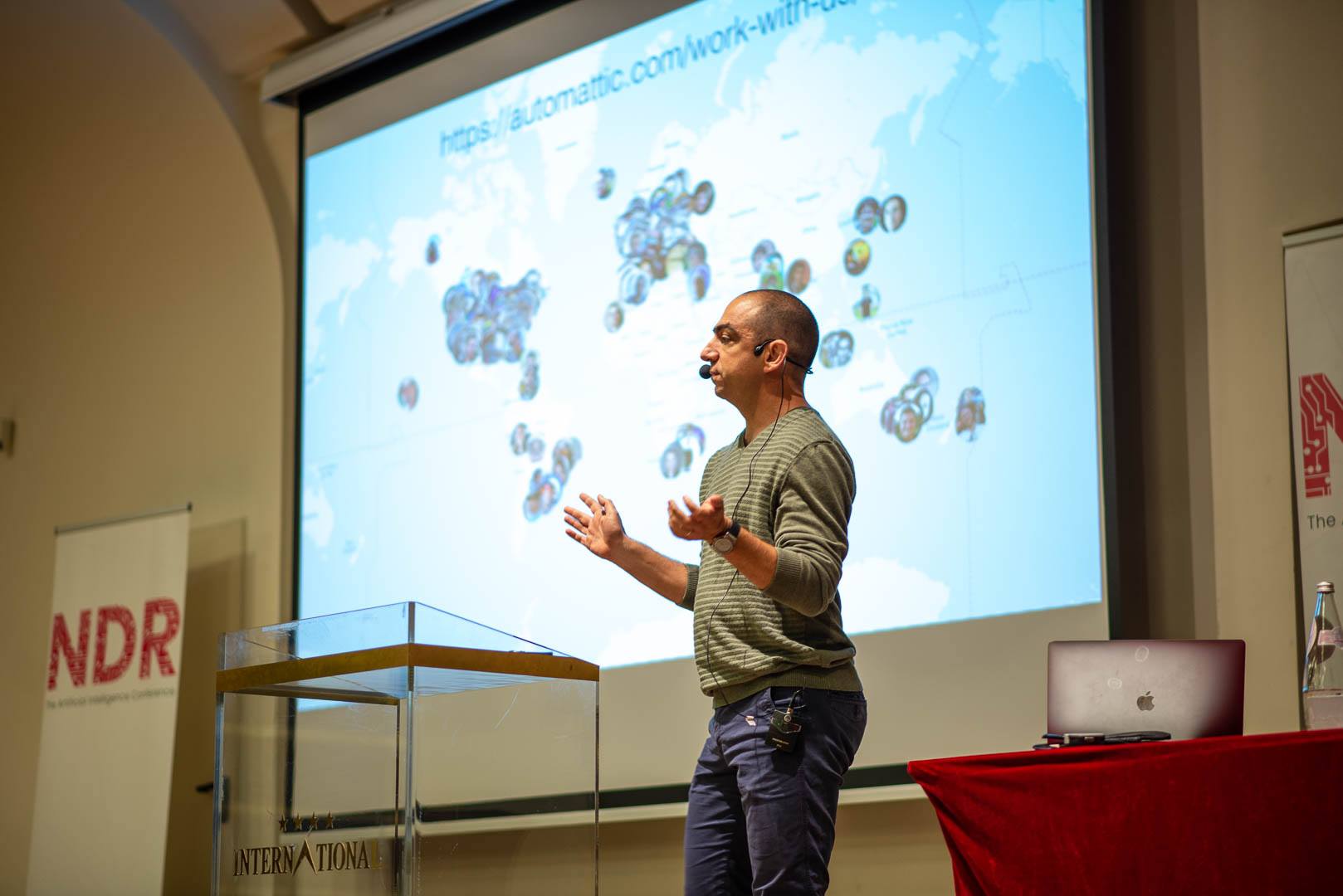
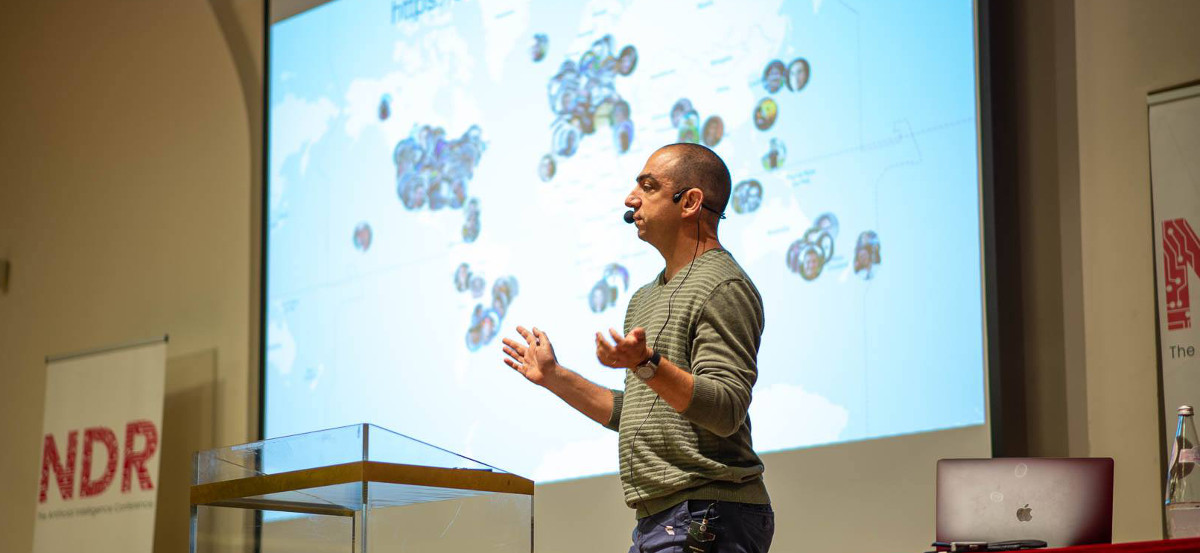
Two days ago, I spoke at NDR, a machine learning/AI conference in Iași, Romania. That was a very interesting conference, with a diverse panel of speakers from different branches of the data-related industry. However, the talk that I enjoyed the most was mine. Not because I’m a narcist self-loving egoist. What I enjoyed the most were the questions that the attendees asked me during the talk, and in the coffee breaks after it. First of all, these questions were a clear signal that my message resonated with the audience, and they cared about what I had to say. This is a nice touch to one’s ego. But more importantly, these questions pointed out that there are several topics that I need to learn to become more professional in what I’m doing. Since most of the time, we don’t know what we don’t know, such an insight is almost priceless.
That is why even (and especially) if you are afraid of public speaking, you should jump into the cold water and do it. Find a call for presentations and submit a proposal TODAY.
And if you are afraid of that awkward silence when you ask “are there any questions” and nobody reacts, you should read my post “Any Questions? How to fight the awkward silence at the end of the presentation”.
-

Iași, Romania
June 5, 2019The NDR conference in Iași is over. It’s a good time to sit, relax and work.
-

Curated list of established remote tech companies
May 23, 2019Someone asked me about distributed companies or companies that offer remote positions. Of course, my first response was Automattic but that person didn’t think that Automattic was a good fit for them. So I googled and was surprised to discover that my colleague, Yanir Seroussi, maintains a list of companies that offer remote jobs.
I work at Automattic, one of the biggest distributed-only companies in the world (if not the biggest one). Recently, Automattic founder and CEO, Matt Mullenweg started a new podcast called (surprise) Distributed.
-
כוון הציר האפקי במסמכים הנכתבים מימין לשמאל
May 21, 2019אני מחפש דוגמאות נוספות
יש לכם דוגמה של גרף עברי ״הפוך״? גרפים בערבית או פארסי? שלחו לי.
This post is a Hebrew translation of the post “X-axis direction in Right-To-Left languages (part two)”
ספרי לימוד
בעבר כתבתי על העניין שלי בגרפים בשפות שנכתבות מימין לשמאל. לאחרונה קיבלתי לידי שני ספרי לימוד במתמטיקה - האחד מירדן והשני מהרשות הפלסטינית.
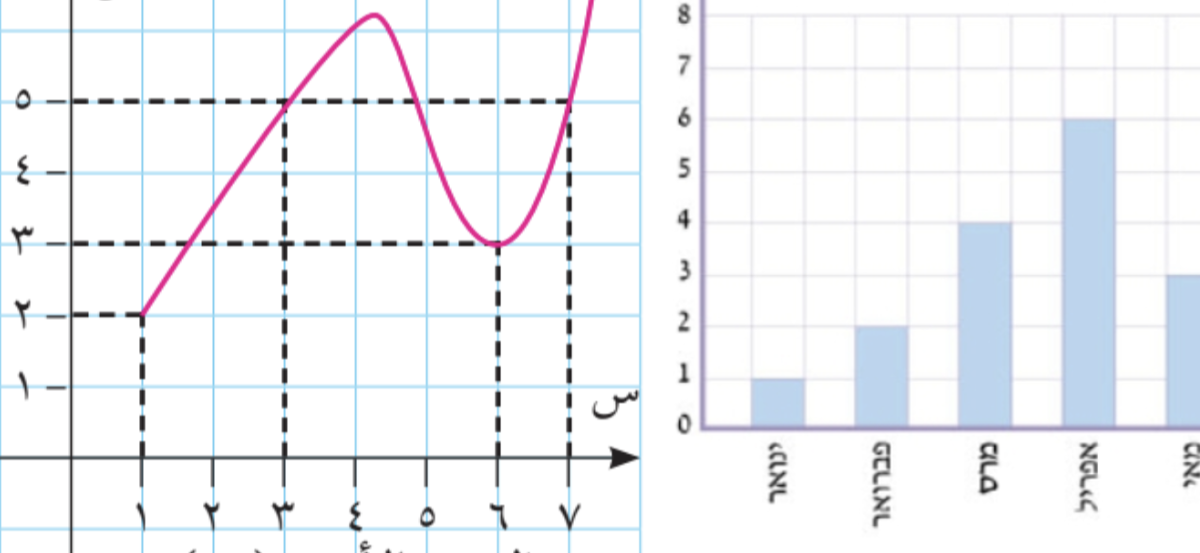
תוכנית הלימוד של הרשות הפלסטינית מבוססת על התוכנית הירדנית. בשני המקרים הופתעתי לגלות שהשכנים שלנו לא משתמשים באותיות ערביות כדי ״לכתוב מתמטיקה״ - כמעט ואין שימוש באותיות לטיניות או יווניות. לא רק זה, כל כוון הכתיבה בספרים אלו - מימין מימין לשמאל. לא רק זה, גם הסימנים המוכרים לנו כגון סימן השורש ״הפוכים״. הנה דוגמה מהספר הפלסטיני.
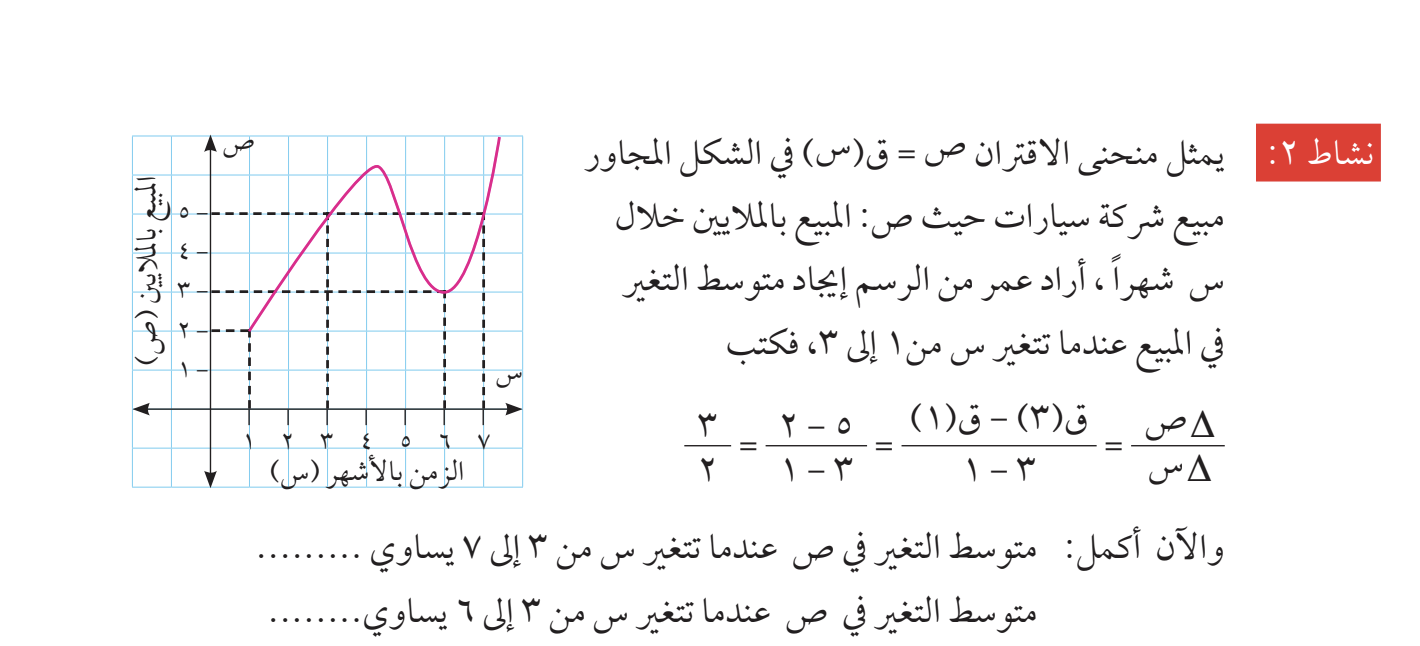
והנה דוגמה ירדנית.
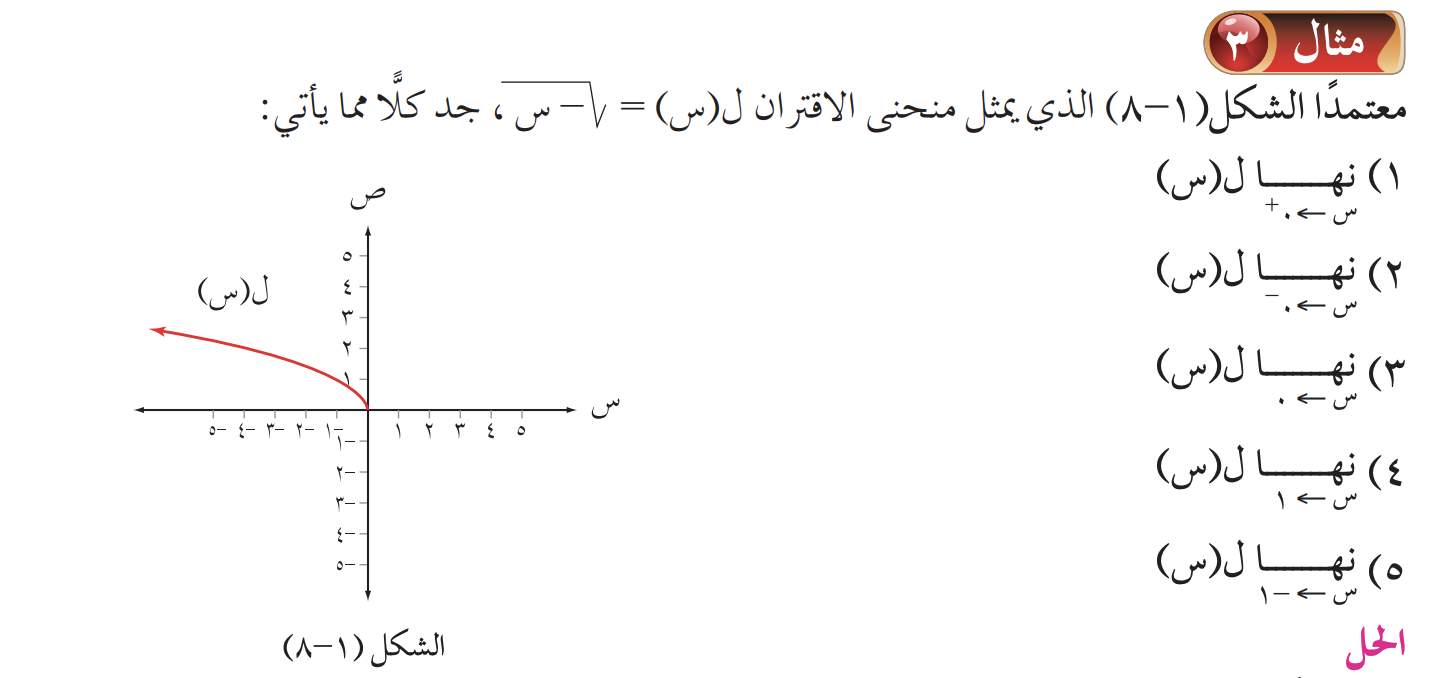
מה אנחנו רואים כאן?
- שימוש בספריות ״הודיות־ערביות״
- אותיות ערביות س (שין) ו־ص (ס׳אד) משמשות במקום ה־x וה־y המוכרים. אות קאף (ق) שמשמשת לציון פונקציות
- כוון הכתיבה וגם הסימונים עצמם ״הפוכים״ ממה שאנחנו רגילים לראות בספרים בעברית או באנגלית
לאור כל זאת, ניתן היה לצפות שכוון הציר האופקי יהיה גם ״הפוך״ - מימין לשמאל. אך לא כך הדבר
מה עם ספרי לימוד בעברית?
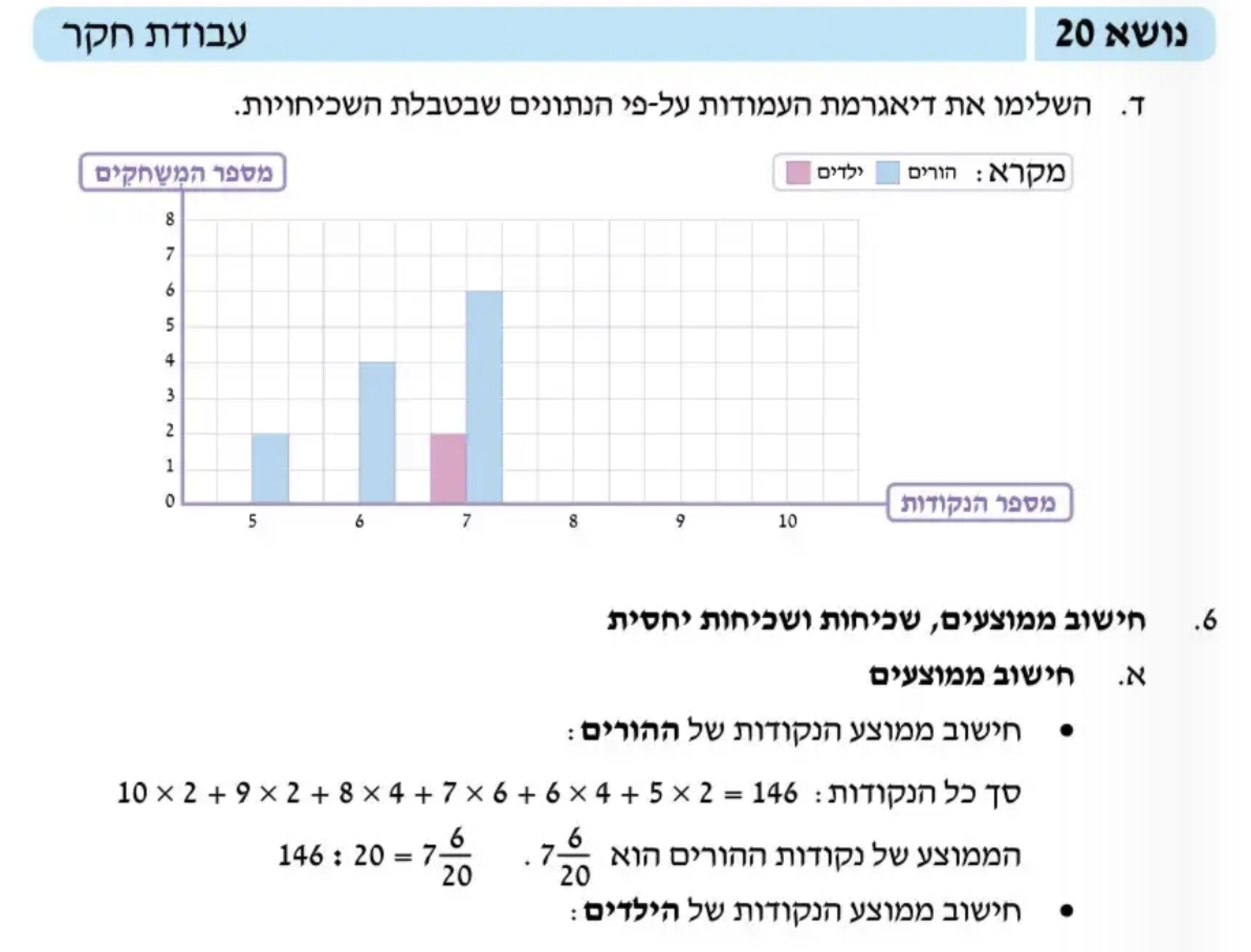
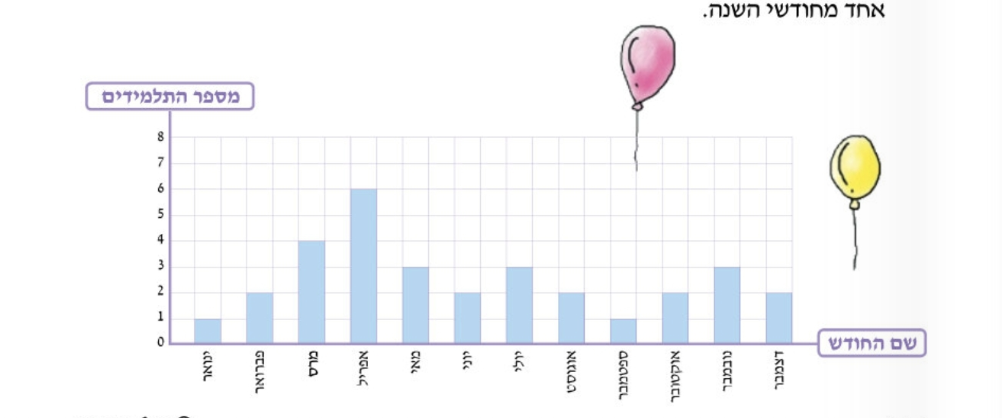
הנה דוגמה מספר לימוד של כיתה ה׳. גם כאשר הקטגוריות בגרף נכתבות בעברית, הכוון שלהם הוא כוון ״אנגלי״ - משמאל לימין.
שלחו לי עוד דוגמאות
יש לכם דוגמה של גרף עברי ״הפוך״? גרפים בערבית או פארסי? שלחו לי.
-
X-axis direction in Right-To-Left languages (part two)
May 19, 2019I need more examples
Do you have more examples of graphs written in Arabic, Farsi, Urdu or another RTL language? Please send them to me.
Textbook examples
I already wrote about my interest in data visualization in Right-To-Left (RTL) languages. Recently, I got copies of high school calculus books from Jordan and the Palestinian Authority.
Both Jordan and PA use the same (Jordanian) school program. In both cases, I was surprised to discover that they almost never use Latin or Greek letters in their math notation. Not only that, the entire direction of the the mathematical notation is from right to left. Here’s an illustrative example from the Palestinian book.
And here is an example from Jordan
What do we see here?
- the use of Arabic numerals (which are sometimes called Eastern Arabic numerals)
- The Arabic letters س (sin) and ص (saad) are used “instead of” x and y (the Arabic alphabet doesn’t have the notion of capital letters). The letter qaf (ق) is used as the archetypical function name (f). For some reason, the capital Greek Delta is here.
- More interestingly, the entire math is “mirrored”, compared to the Left-To-Write world – including the operand order. Not only the operand order is “mirrored”, many other pieces of math notation are mirrored, such as the square root sign, limits and others.
Having said all that, one would expect to see the numbers on the X-axis (sorry, the س-axis) run from right to left. But no. The numbers on the graph run from left to right, similarly to the LTR world.
What about mathematics textbooks in Hebrew?
Unfortunately, I don’t have a copy of a Hebrew language book in calculus, so I will use fifth grade math book
Despite the fact that the Hebrew text flows from right to left, we (the Israelis) write our math notations from left to right. I have never saw any exceptions of this rule.
In this particular textbook, the X axis is set up from left to right. This direction is obvious in the upper example. The lower example lists months – from January to December. Despite the fact the the month names are written in Hebrew, their direction is LTR. Note that this is not an obvious choice. In many version of Excel, for example, the default direction of the X axis in Hebrew document is from right to left.
I need more examples
Do you have more examples of graphs written in Arabic, Farsi, Urdu or another RTL language? Please send them to me.
-
Talking about productivity methods
May 13, 2019The best way to procrastinate is to research productivity.
Boris Gorelik
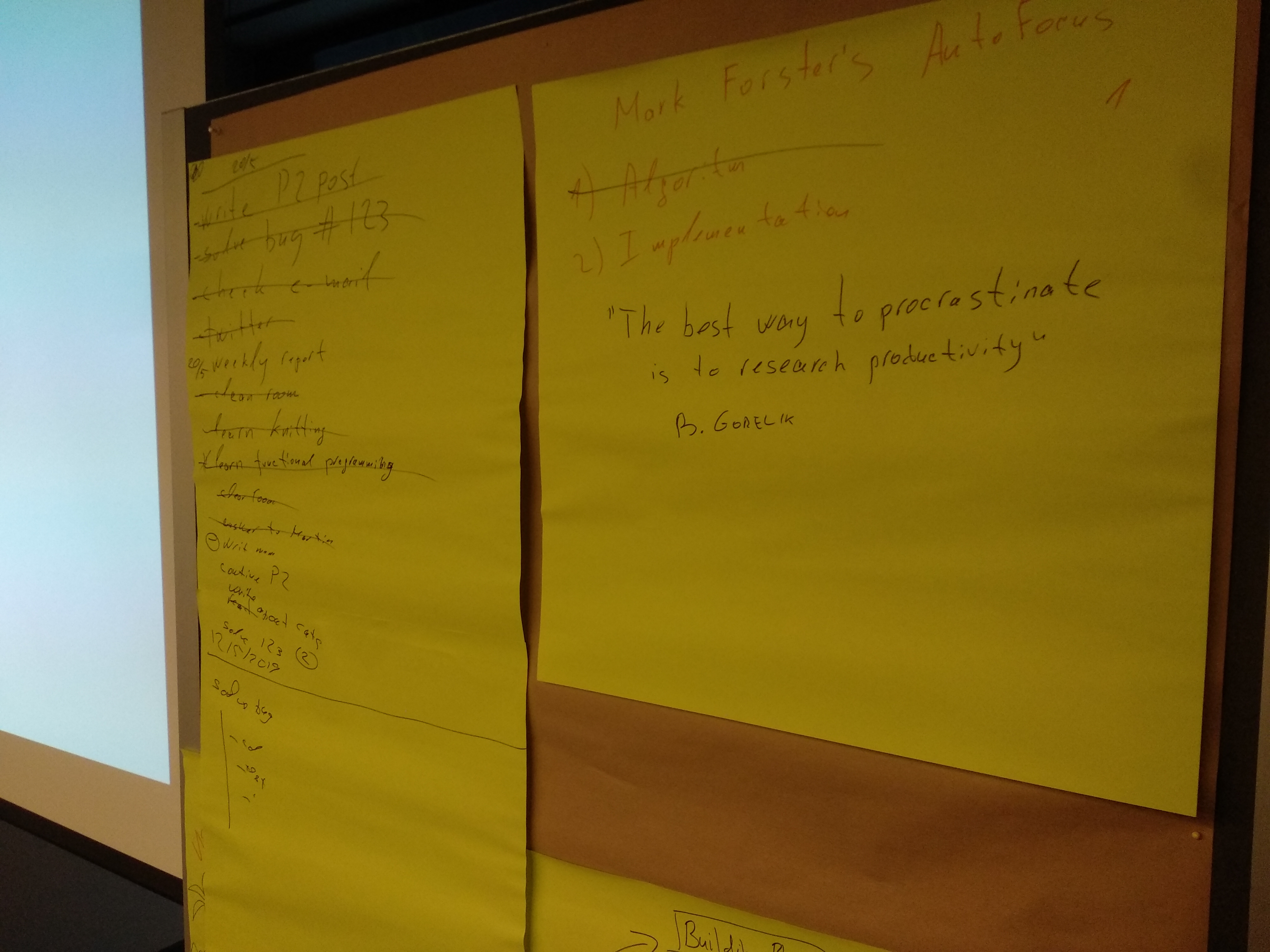
This week, the majority of Automattic Data Division meets in person in Vienna. During one of the sessions I presented my productivity method to my friends and coworkers.
Presenting this method was a fun and enjoyable experience for me. I decided to try doing this again, in a more formal and structured way. If you know of a productivity-oriented meetups that might be interested in hearing me, let me know.
Some post-talk notes
It turns out that the method I’m using much closer to Mark Forster’s “Final Version” than to his AutoFocus
During the years, Mark Forster created and tested many time management approaches. Scan through this page http://markforster.squarespace.com/tm-systems to find something that might work for you to find something that might work for you.
-

An interesting way to beat procrastination when working from home
May 1, 2019Working from home (or a coffee shop, or a library) is great. However, there is one tiny problem: the temptation not to work is sometimes much bigger than the temptation in a traditional office. In the traditional office you are expected to look busy which is the first step to do an actual work. When you work from home, nobody cares if you get up to have a cup of coffee or water the plants. This is GREAT but sometimes this freedom is too much. Sometimes, you wish someone would give you that look to encourage you to keep working.
This is the exact problem that Taylor Jacobson, the founder of https://focusmate.com is trying to solve. Here’s how Focusmate works. You schedule a fifty-minutes appointment with a random partner. During the session, you and your partner have exactly sixty seconds to tell each other what you want to achieve during the next fifty minutes and then start working, keeping the camera on. At the end of t the session, you and your partner tell each other how was your session. That’s it.
I signed up for this service and participated in two such session. I really liked the result. During that hour, I had the urge to get up for a coffee, to make phone calls, etc. But the fact that I saw someone on my screen, and the fact that they saw me stopped me. The result — 50 minutes of uninterrupted work. I even didn’t check Twitter, despite the fact that my buddy couldn’t see my screen.
I heard about this service in a podcast episode that was recommended to me by my coworker Ian Dunn. Focusmate is absolutely free for now. In that podcast show, Taylor (the founder) talks about the possible business models. Interestingly, when Taylor tried to crowd-fund this project he managed to get almost five time more money than he eventually planned to ([ref]).
One more thing. This podcast show, https://productivitycast.net, looks like an interesting podcast to follow if you are interested in productivity and procrastination.
-
The third wave data scientist - a useful point of view
April 8, 2019In 2019, it’s hard to find a data-related blogger who doesn’t write about the essence and the future of data science as a profession. Most of these posts (like this one for example) are mostly useless both for existing data scientists who think about their professional plans and for people who consider data science as their career.
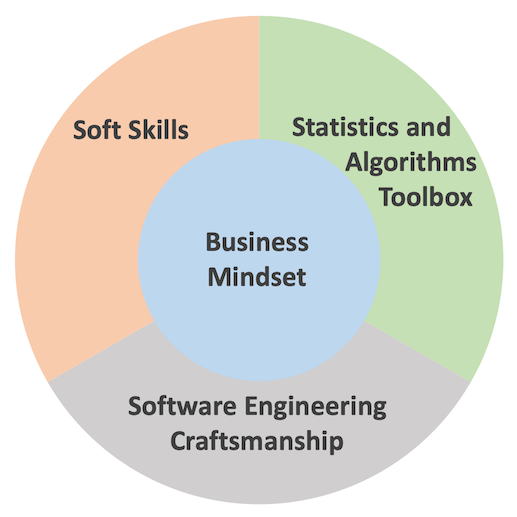
Today I saw yet another post which I find very useful. In this post, Dominik Haitz identifies a “third wave data scientist.” In Dominik’s opinion, a successful data scientist has to combine four features: (1) Business mindset (2) Software engineering craftsmanship (3) Statistics and algorithmic toolbox, and (4) Soft skills. In Dominik’s classification, the business mindset is not “another skill” but the central pillar.
The professional challenges that I have been facing during the past eighteen months or so, made me realize the importance of points 1, 2, and 3 from Dominik’s list (number 4 was already very important on my personal list). However, it took reading his post to put the puzzle parts in place.
Dominik’s additional contribution to the discussion is ditching the famous data science Venn Diagram in favor of another, “business-oriented” visual which I used as the “featured image” to this post.
 A fragment from an 1850 painting by the Russian Armenian marine painter Ivan Aivazovsky named “The Ninth Wave.” I wonder what the “ninth wave data scientist” will be.
 -

To specialize, or not to specialize, that is the data scientists' question
March 14, 2019In my last post on data science career, I heavily promoted the idea that a data scientist needs to find his or her specialization. I back my opinion with my experience and by citing other people opinions. However, keep in mind that I am not a career advisor, I never surveyed the job market, and I might not know what I’m talking about. Moreover, despite the fact that I advocate for specialization, I think that I am more of a generalist.
Since I published the last post, I was pointed to some other posts and articles that either support or contradict my point of view. The most interesting ones are: “Why you shouldn’t be a data science generalist” and “Why Data Science Teams Need Generalists, Not Specialists”, both are very recent and very articulated but promote different points of view. Go figure
The featured image is based on a photo by Tom Parsons on Unsplash
-

The data science umbrella or should you study data science as a career move (the 2019 edition)?
March 7, 2019TL/DR: Studying data science is OK as long as you know that it’s only a starting point.
Almost two years ago, I wrote a post titled “Don’t study data science as a career move.” Even today, this post is the most visited post on my blog. I was reminded about this post a couple of days ago during a team meeting in which we discussed what does a “data scientist” mean today. I re-read my original post, and I think that I was generally right, but there is a but…
The term “data science” was born as an umbrella term that meant to describe people who know programming, statistics, and business logic. We all saw those numerous Venn diagrams that tried to describe the perfect data scientist. Since its beginning, the field of “data science” has finally matured. There are more and more people that question the mere definition of data science.
Here’s what an entrepreneur Chuck Russel has to say:
Now don’t get me wrong — some of these folks are legit Data Scientists but the majority is not. I guess I’m a purist –calling yourself a scientist indicates that you practice science following a scientific method. You create hypotheses, test the hypothesis with experimental results and after proving or disproving the conjecture move on or iterate.
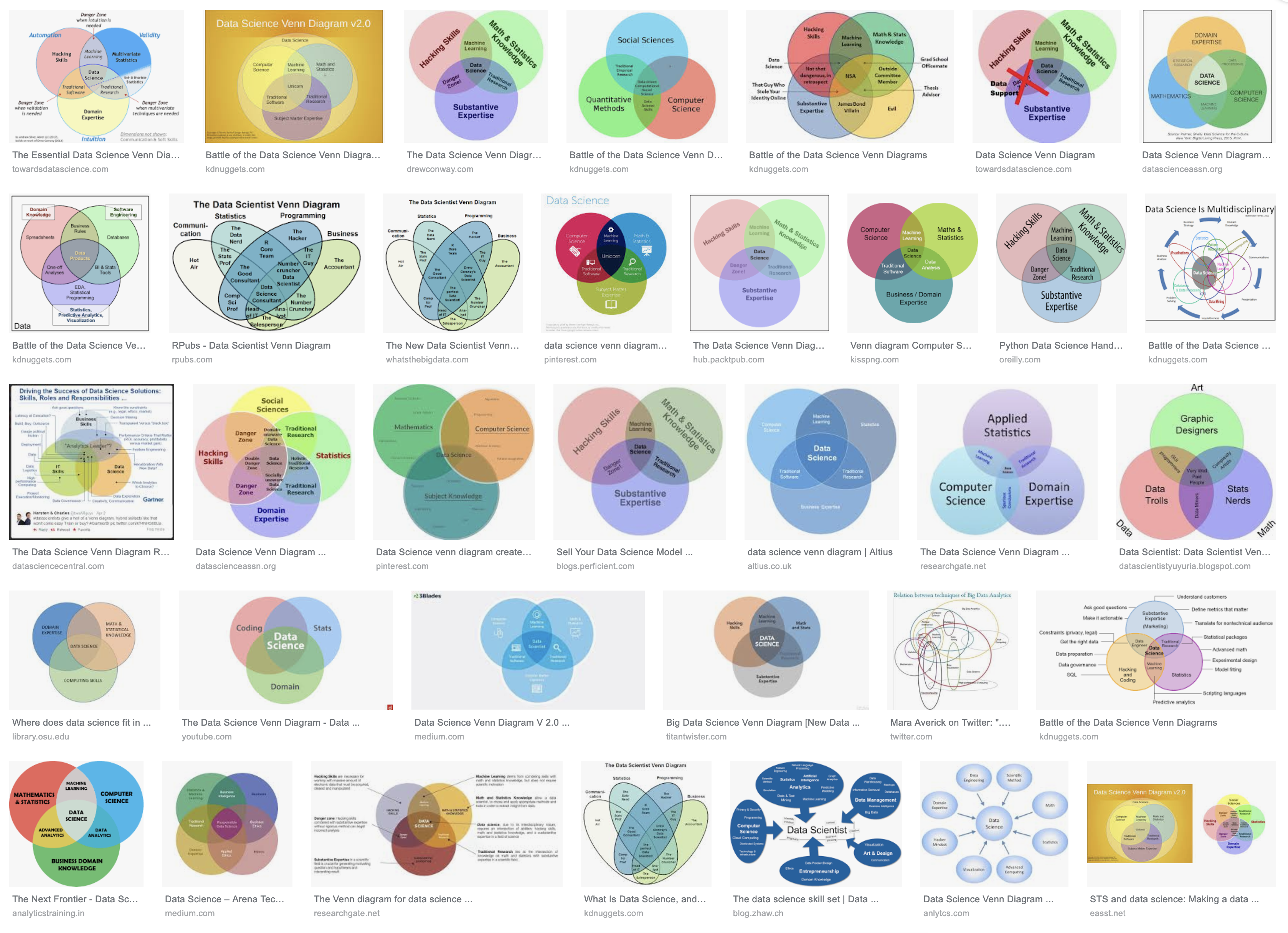 There can’t be enough Venn diagrams
Now, “create and test hypotheses” is a very vague requirement. After all, any A/B test is a process of “creating and testing hypotheses” using data. Is anyone who performs A/B tests a data scientist? I think not. Moreover, a couple of years ago, if you wanted to run an A/B test, perform a regression analysis, build a classifier, you would have to write numerous lines of code, debug and tune it. This tedious and intriguing process certainly felt very “sciency,” and if it worked, you would have been very proud of our job. Today, on the other hand, we are lucky to have general-purpose tools that require less and less coding. I don’t remember the last time I had to implement an analysis or an algorithm from the first principles. With the vast amount of verified tools and libraries, writing an algorithm from scratch feels like a huge waste of time. On the other hand, I spend more and more time trying to understand the “business logic” that I try to improve: why has this test fail? Who will use this algorithm and what will make them like the results? Does effort justify the potential improvement?
I (a data scientist) have all this extra time to think of a business logic thanks to the huge arsenal of generalized tools to choose from. These tools were created mostly by those data scientists whose primary job is to implement, verify, and tune algorithms. My job and the job of these data scientists is different and requires different sets of skills.
There is another ever-growing group of professionals who work hard to make sure someone can apply all those algorithms to any amount of data they feel suitable. These people know that any model is at most as good as the data it is based on. Therefore, they build systems that deliver the right information on time, distribute the data among computation nodes, and make sure no crazy “scientist” sends a production server to a non-responsive state due to a bad choice of parameters. We already have a term for professionals whose job is to build fail-proof systems. We call them engineers, or “data engineers” in this case.
The bottom line
Up till now, I mentioned three major activities that used to be covered by the data science umbrella: building new algorithms, applying algorithms to business logic, and engineering reliable data systems. I’m sure there are other areas under that umbrella that I forgot. In 2019, we reached the point where one has to decide what field of data science does one want to practice. If you consider stying data science think of it as studying medicine. The vast majority of physicians don’t end up general practitioners but rather invest at least five more years of their lives professionalize. Treat your data science studies as an entry ticket into the life-long learning process, and you’ll be OK. Otherwise, (I’mciting myself here): You might end up a mediocre Python or R programmer who can fiddle with the parameters of various machine learning libraries, one of the many. Sometimes it’s good enough. Frequently, it’s not.
PS. Here’s a one-week-old article on Forbes.com with very similar theses: link.
-
Please leave a comment to this post
March 5, 2019Please leave a comment to this post. It doesn’t matter what, it can be a simple Hi or an interesting link. It doesn’t matter when or where you see it. I want to see how many real people are actually reading this blog.
[caption id=”attachment_media-15” align=”alignnone” width=”1880”]
Photo by Pixabay on Pexels.com[/caption]
-
בניית אתרים עם תמיכה בארץ
March 4, 2019מדי פעם אנשים ששומעים שאני עובד בחברה שמפעילה את וורדפרקס.קום מבקשים ממני עזרה אם בניית האתר שלהם. אני חוקר נתונים, לא בונה אתרים. ברור שהחברה בה אני עובד עושה המון מאמצים כדי לאפשר לאנשים לבנות אתרים בעצמם, אבל לפעםמים אנשים צריכים להאציל את הסמכות הזאת למומחים, רוצים גמישות ושליטה וגם תמיכה. אני מכיר אישית את דידי אריאלי מהאתר ״קליקי בניית אתרים״ שעושה בדיוק את זה: בנייה ותחזוקת אתרים מותאמים אישית. מה שנחמד הוא שדידי נאמן לעקרונות הקוד הפתוח: הלקוח לא קשור אליו ושומר על השליטה בתוכן ובקוד של האתר.
דרך אגב, באתר של ״קליקי״ יש גם בלוג עם פרטי מידע שימושיים לבוני האתרים בוורדפרס
נ.ב. אני מכיר את דידי אישית אבל אין לי אתו קשרי עסקים. אני לא מרוויח שום דבר מהפוסט הזה.
- Older posts Newer posts